How to reduce no-shows: a practical guide to appointment reminders
It's 10 in the morning. You've set up your office, reviewed the patient's file, organized all the necessary materials. You glance at the clock: 10:05, 10:10, 10:15. You can feel your time evaporating. You check your schedule. The appointment was confirmed for 10:00. You wait a few more minutes, with that familiar mix of hope and resignation you know all too well. But your client never shows up.
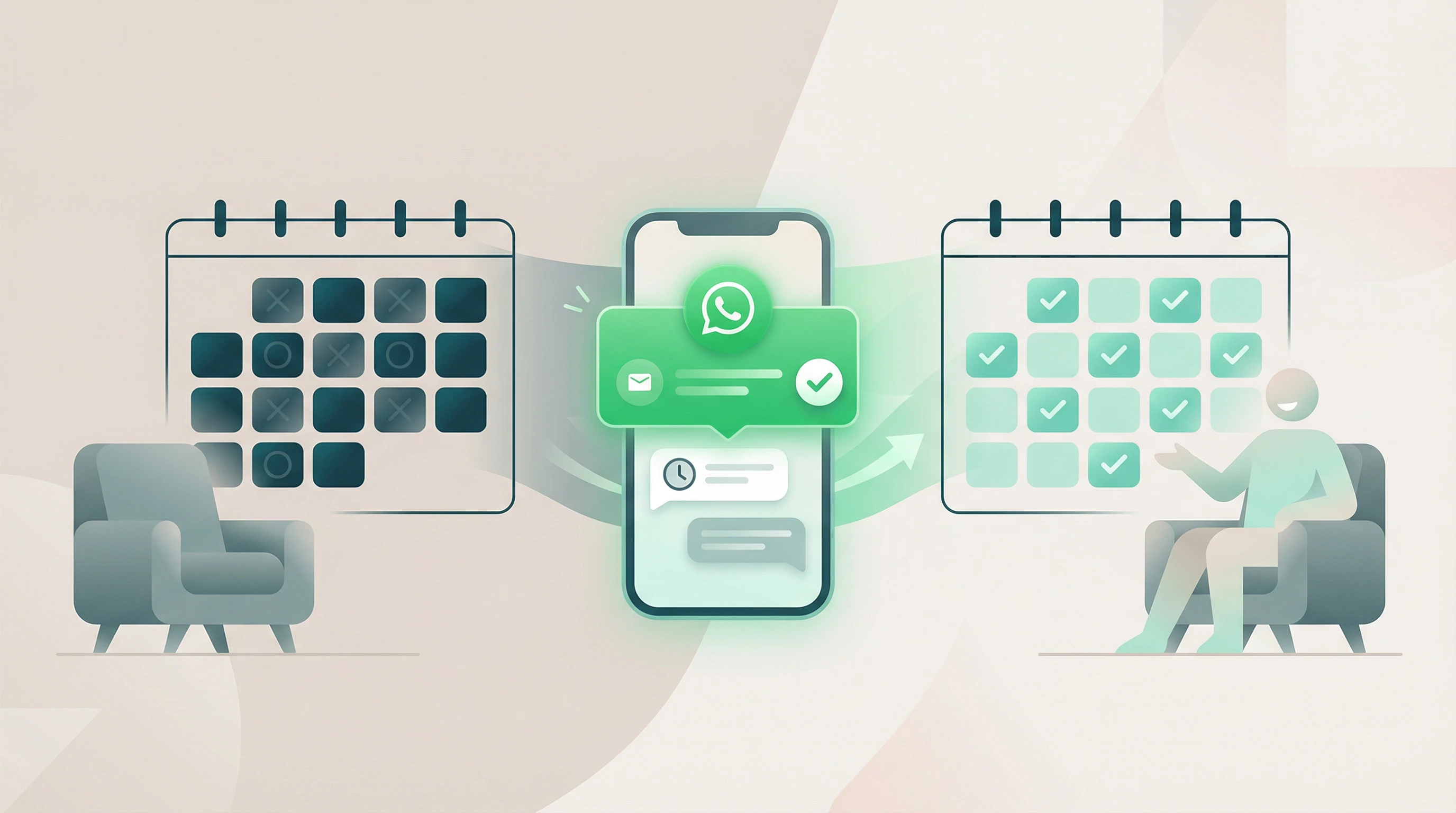
This scenario plays out multiple times a week in thousands of businesses. And every time it happens, you don't just lose the revenue from that appointment. You lose preparation time. You waste resources. And you miss the opportunity to serve another client who actually needed that slot. Client no-shows are one of the most costly operational problems for any appointment-based business.
With the right strategies, you can reduce no-shows by up to 80% and recover thousands of dollars in lost revenue. In this article, you'll learn why clients don't show up, how much it's really costing you, and which solutions actually work.
What is a no-show and why is it a serious problem?
A no-show occurs when a client has a scheduled appointment but doesn't show up and doesn't give advance notice. This is different from a cancellation: when someone cancels, they give you the chance to fill that slot with another client. With a no-show, that slot is simply lost.
The difference may seem subtle, but the impact on your business is real. A cancellation with 24 hours' notice lets you reorganize your schedule. A no-show leaves you with a gap you can no longer fill.
The numbers are concerning. According to service industry studies, the average no-show rate ranges between 20% and 30% in businesses without confirmation systems. That means between 1 in 5 and 1 in 3 clients don't show up to their appointment.
Let's do a quick calculation. Imagine your business:
- Charges $50 per session or consultation
- Has 5 clients who don't show up each week
- Operates 48 weeks per year (accounting for vacations)
That's $250 lost per week, $1,083 per month, and $12,000 per year in revenue that simply vanishes from your bank account. And this is a conservative estimate.
For businesses with higher-value services (specialized dentistry, cosmetic treatments, or consulting), where a single appointment can be worth $150 or more, the annual cost of no-show appointments can exceed $30,000.
The problem goes beyond lost revenue. No-shows create a domino effect across your entire operation: your team sits idle, your resources go to waste, and your growth potential shrinks because empty slots could have been filled with clients who actually wanted to be seen.
Main causes of client no-shows
To reduce no-shows effectively, you first need to understand why they happen. Here are the most common reasons:
They simply forgot about the appointment
This is, by far, the number one cause. Modern life is packed with responsibilities, notifications, and distractions. Your client booked an appointment three weeks ago, made a mental note of it (or maybe not even that), and by the time the day arrives, it's completely slipped their mind.
It's not bad intentions. It's not lack of interest. It's forgetfulness, especially when the appointment was booked well in advance. Human memory is limited, and without an external reminder, even the most organized people can forget their commitments.
An unexpected event or emergency came up
Sometimes life gets in the way. A child gets sick, an urgent meeting pops up at work, a family issue demands immediate attention. These situations are unavoidable and understandable.
The problem isn't that unexpected things happen. It's that many clients, in the middle of the chaos, don't take the two minutes needed to cancel or reschedule. Or they feel it's "too late" to notify you and choose to simply not show up.
There's no easy way to cancel or reschedule
Think about your client's experience. It's 8 in the morning, and they've just realized they won't be able to make their 11 o'clock appointment. To cancel, they need to:
- Find your phone number
- Call during your business hours (which may not have started yet)
- Wait on hold
- Explain the situation
- Coordinate a new date
This process can take 10-15 minutes at a time when they're already pressed. The result: they choose to do nothing and become a no-show. If canceling were as simple as replying to a WhatsApp message with "I can't make it," they would do it.
Fear, anxiety, or embarrassment
This is especially common in healthcare. A patient books a dentist appointment, but as the date approaches, their anxiety builds. Instead of facing it, they avoid the situation by not showing up.
The same happens with services where the client feels they "should have done something" before the appointment (like losing weight before a nutrition consultation, or practicing before a class). Embarrassment paralyzes them, and they prefer to skip the appointment entirely.
The appointment was booked too far in advance
When an appointment is scheduled more than 3-4 weeks out, the likelihood of a no-show increases significantly. It's hard to emotionally commit to something that far in the future.
At the time of booking, the client has the best of intentions. But as time passes, that appointment loses priority compared to more immediate commitments.
There are no clear consequences for not showing up
Let's be honest: if a client knows they can skip an appointment without any consequences, and something more appealing comes up that day, the temptation to cancel (or just not go) is stronger.
This doesn't mean your clients are bad people. They respond to incentives. If not showing up has no cost but does free up time for another activity, the decision becomes easy, especially if the client doesn't fully value your service or doesn't understand the impact their absence creates.
The real cost of no-shows for your business
We've already calculated the direct revenue lost per no-show, but the real impact goes further. When you add up the total cost, the picture gets worse:
Idle staff time
When a client doesn't show up, your team is ready to work but can't. You're still paying salaries without generating revenue. If you have hourly staff, this means paying for unproductive time. If you have assistants or support staff, everyone sits waiting while the empty slot burns through minutes you'll never get back.
Wasted resources and preparation
Depending on your business, each appointment may require specific preparation. In medical services, this might include sterilized materials, prepared supplies, or reviewed studies. In beauty services, mixed products or prepared workstations. In consulting, time spent reviewing the client's case.
All of this prep work goes to waste when there's a no-show. And in many cases, those resources (opened sterile bandages, mixed cosmetic products, prepared medications) can't be reused.
Opportunity cost
This is perhaps the most painful cost. While that slot sat empty in your schedule, another client could have needed and wanted that appointment. But because the slot was held by someone who never showed up, you lost the chance to generate that revenue.
It's particularly frustrating when you have a waiting list. Imagine having 10 people waiting for an appointment and losing 3 slots per week to no-shows. Those are real clients, ready to pay, who could have been served while you were waiting for someone who never came.
Impact on team morale
Constant no-shows wear down your team. They create frustration and a feeling that their time and effort don't matter. Your staff prepares professionally and emotionally to serve clients, and when those clients repeatedly don't show up, enthusiasm fades.
Over time, this can affect service quality and employee retention, costs that are hard to quantify but very real.
Accumulated operational inefficiency
Unannounced absences create unpredictable gaps in your schedule that make planning difficult. You can't optimize your workflow because you never know when those empty slots will appear. This makes it harder to schedule efficiently, coordinate with suppliers, or plan staffing needs.
Over time, this inefficiency compounds. Your total service capacity decreases, not just from missed appointments, but from the inability to plan around those unpredictable gaps.
Negative effect on other clients' experience
When you have a high no-show rate, you might start overbooking to compensate. This can lead to situations where, on days when everyone does show up, wait times increase and service quality drops. On the flip side, if you don't overbook, clients on your waiting list get frustrated seeing no availability, without knowing that slots are being wasted.
Strategies to reduce no-shows
These strategies are proven across thousands of businesses and can reduce no-shows significantly:
1. Send automated reminders (the #1 strategy)
Reminders are the most effective tool for combating client no-shows. The data backs it up: implementing a reminder system reduces no-shows by 67% to 82% according to studies in clinics and practices.
Why do they work so well? Because they address the root cause: forgetfulness. A well-timed reminder reactivates the client's commitment and gives them time to reorganize if they need to cancel.
The key lies in timing and channel. The most effective reminders follow this sequence:
- Reminder 24-48 hours before: "You have an appointment tomorrow at 3 PM"
- Reminder 2-3 hours before: "We're expecting you today at 3 PM at [address]"
And the channel matters a lot. WhatsApp appointment reminders have open rates of 98%, far above email (23%) or SMS (85%). WhatsApp also enables immediate two-way confirmation, which we'll cover further below.
2. Make confirmation and cancellation easy
Make responding effortless. An automated message that says "Reply YES to confirm or NO to cancel" eliminates all barriers. The client doesn't need to look up your phone number, dial, or wait on hold. They just reply with one word.
This simplicity has two benefits:
- It increases confirmations: clients who plan to attend confirm quickly
- It captures early cancellations: clients who couldn't make it but wouldn't take the time to call will reply "NO" to a message
Those early cancellations are valuable. They give you 24-48 hours to fill that slot with another client, turning a total loss into a revenue opportunity. You can use our reminder message generator to create effective confirmation texts in seconds.
3. Set up an active waiting list
When you receive an early cancellation (or detect that someone hasn't confirmed their appointment), having a waiting list lets you fill that gap quickly. But not just any waiting list. It needs to be active and organized.
An efficient system:
- Classifies people by availability (some can come on short notice, others need days)
- Automatically notifies when a slot opens up
- Assigns the slot to the first person who confirms
This turns every cancellation into an opportunity to serve someone who wants that slot, minimizing the impact of unannounced absences.
4. Establish deposit or penalty policies
In businesses with a chronically high no-show rate, financial consequences may be necessary. There are several options:
- Required deposit: a partial payment at booking (common in spas, high-end salons, specialized consultations)
- Credit card on file: nothing is charged upfront, but a card is recorded and a fee applies if there's a no-show
- Graduated penalty system: first no-show has no consequence, second requires a deposit for future appointments
The key is communicating these policies upfront, not as punishment, but as protection of every client's time. Many clients understand and respect these measures when they're explained properly.
5. Strategic overbooking
Airlines do it, restaurants do it, and in businesses with predictable no-show patterns, it can be appropriate. If you know historically that 20% of your appointments result in no-shows, you can overbook by that 20%.
This requires careful analysis:
- Calculate your average no-show rate by day of the week and time slot
- Overbook conservatively (if you have a 20% no-show rate, start by overbooking only 10%)
- Have a backup plan for when everyone does show up
Overbooking isn't for every business, especially where each appointment is highly personalized or long in duration. But for services with some time flexibility, it can maximize your capacity.
6. Reduce booking windows
If you notice that appointments scheduled more than a month in advance have a higher no-show rate, consider limiting how far out people can book. Instead of opening your calendar 8 weeks ahead, open it only 3-4 weeks out.
This has several benefits:
- Clients book when they're more committed
- There's less time for conflicts to arise
- The appointment feels more immediate and real from the start
For regular or high-value clients, you can make exceptions and allow them to book further ahead, especially if they have a reliable attendance history.
7. Build relationships and communicate value
Clients who feel a personal connection with your business and understand the value of your service are less likely to skip appointments. Some tactics:
- Send educational content between appointments that reinforces the value of your service
- Personalize communication (use names, reference previous conversations)
- Explain the impact: "When a client doesn't let us know, we can't offer that slot to someone else"
- Recognize and celebrate punctual, committed clients
When a client feels that you're a partner in their well-being, not just a service provider, they treat your appointments with greater respect.
8. Analyze and optimize continuously
Measure your no-show rate regularly. Look for these patterns:
- Which days have the most no-shows?
- Which time slots are the most problematic?
- Are there clients with a repeat pattern?
- Which types of services have the highest no-show rate?
This data lets you apply targeted strategies where they're needed most. Maybe Monday mornings need a double reminder. Or perhaps certain services require a deposit while others don't.
How automatic reminders reduce no-shows
Let's look at why automatic WhatsApp reminders are so effective at combating no-shows.
The psychology behind reminders
Reminders work because of several psychological principles:
Commitment and consistency: when a client receives a reminder and confirms, they're publicly renewing their commitment. People have a strong tendency to act consistently with their stated commitments. Replying "YES" to a confirmation makes it psychologically harder to not show up.
Reducing cognitive load: remembering all our obligations is exhausting. External reminders free up mental space. Your client can focus on their work and daily life knowing they'll receive a timely notification about their appointment.
Activating planning: a reminder 24 hours before gives enough time to plan the day around the appointment, arranging transportation, adjusting other activities, preparing what's needed. A reminder 2 hours before works as an immediate trigger for action.
When to send reminders
Studies on attendance rates show that reminder timing matters:
24-48 hours before: this is the sweet spot for confirmation. It's close enough that the appointment feels real and present, yet far enough away that the client can reorganize their day if needed. Confirmation rates are highest in this window.
Cancellations you receive at 24-48 hours are also valuable because you still have time to fill that slot from your waiting list.
2-4 hours before: this works as an immediate action trigger. It's the moment when the client is organizing their present day. A message at this time transforms the appointment from "something I have today" to "something I'm doing in the next few hours." Including the exact address in this reminder reduces the friction of attending.
Why not earlier: reminders sent more than 72 hours in advance have little impact. They're too far away to change behavior, and by the time the appointment day arrives, the client has already forgotten again.
WhatsApp vs. SMS vs. email
Not all reminders are equal. The channel determines their effectiveness:
WhatsApp has a 95%+ open rate: nearly all WhatsApp messages are read within the first 15 minutes. It's the app people check constantly, and notifications are harder to ignore than an email.
SMS has an 85-90% open rate: respectable, but lower than WhatsApp. Many younger clients rarely check their SMS, using messaging apps almost exclusively.
Email has a 20-30% open rate: most reminder emails end up in spam, get lost in overflowing inboxes, or are simply ignored. It's not an effective channel for time-sensitive reminders.
What makes WhatsApp special isn't just the open rate. It's the two-way confirmation. The client can respond instantly. This two-way interaction is difficult with traditional SMS and clunky with email, which means you capture more confirmations and more early cancellations that you can reschedule.
The power of two-way confirmation
A one-way reminder informs: "You have an appointment tomorrow." A two-way reminder invites action: "You have an appointment tomorrow at 3 PM. Can you confirm your attendance? Reply YES or NO."
This question changes everything:
- Those who confirm "YES": have actively renewed their commitment. The attendance rate for clients who confirm reaches 97%
- Those who reply "NO": notify you with enough time to fill that slot. You turn a guaranteed no-show into a revenue opportunity
- Those who don't respond: this is your high-risk group. You can follow up with an additional message or have a policy that non-response requires a confirmation call
The ability to segment your schedule by confirmation level is useful in ways you might not expect. You know which slots are solid and which ones are at risk.
Personalization boosts effectiveness
Generic reminders work. Personalized reminders work better. When your system can include:
- The client's name
- The specific type of service or treatment
- The name of the professional who will see them
- Specific preparation instructions if applicable
- The exact address with a Google Maps link
The response rate goes up. The message feels personal, not automated (even though it is), and shows that the business is prepared and expecting that specific client.
How to set up automatic reminders with RicordamiApp
Here's how to get reminders running without overcomplicating things. RicordamiApp was built to solve the client no-show problem in the simplest way possible.
Step 1: Connect your Google Calendar
You don't need to change how you work. If you already use Google Calendar for your schedule (and most businesses do), RicordamiApp connects directly. No learning new systems, no migrating data, no complications. Your existing appointments, your current workflow, everything stays the same. You just add a layer of automatic reminders on top.
The connection is secure with read-only permissions. It takes less than 2 minutes to set up.
Step 2: Set your reminder schedule
You decide when you want reminders to be sent. The recommended setup:
- First reminder: 24 hours before the appointment
- Second reminder: 2 hours before the appointment
But you have full flexibility. Some medical practices send reminders at 48 and 24 hours. Some beauty salons prefer 12 and 2 hours. You decide what fits your clients best.
Step 3: Customize your messages
RicordamiApp includes proven templates that work well, but you can customize them to reflect your business's tone. Include:
- Your business name
- Your address and location
- Specific instructions (like "Please arrive 10 minutes early")
- Your contact number for inquiries
The system automatically inserts the client's name, appointment date and time, type of service (if it's in the calendar), and any other relevant details.
Step 4: Activate WhatsApp confirmation
This is the feature that makes the difference. Each reminder invites the client to confirm their attendance by replying on WhatsApp. You receive those confirmations in real time, so you know who's coming and who isn't 24 hours in advance. You can see it all in a simple dashboard:
- Green: client confirmed attendance
- Red: client canceled or indicated they can't make it
- Gray: client hasn't responded (requires follow-up)
This color-coded system gives you visibility into the real state of your schedule. You can plan your day with confidence, activate your waiting list in time, and avoid wasting resources on unnecessary preparations. You don't need to guess who's coming. You know.
The result: less work, better attendance
Once set up, the system runs on autopilot. Every time you add an appointment to your Google Calendar, the reminders are automatically scheduled. You don't need to remember to send messages, make confirmation calls, or keep manual records.
The impact businesses see when using an appointment reminder app like RicordamiApp:
- 60-80% reduction in no-show rate
- 30-40% increase in cancellations with useful advance notice
- 15-25% recovery of slots thanks to the waiting list being activated in time
- 70% reduction in staff time dedicated to phone confirmations
If your business was losing $12,000 per year to no-shows, recovering 70% of that means $8,400 in additional revenue, with less effort than you were putting in before.
Frequently asked questions about client no-shows
What no-show percentage is normal for a service business?
It depends on the industry and whether you have a reminder system. Without reminders, rates of 20-30% are common across many sectors. In medical services, it can reach 30-40%. In salons and spas, 15-25%. With an effective automatic reminder system, you should be below 8-10%, and many businesses bring it down to 3-5%.
Should I charge for no-shows?
It depends on your industry, client type, and severity of the problem. Before charging, try automatic reminders and two-way confirmation first. This resolves 80% of cases. If after setting up reminders you still have chronic issues with specific clients, then consider deposit or penalty policies. Communicate them from the start, not as a surprise after the first missed appointment.
Are WhatsApp reminders more effective than phone calls?
Yes. Phone calls have several drawbacks: they require staff time, many clients don't answer unknown numbers, you have to call during specific hours, and there's no automatic record of the confirmation. WhatsApp has a 95%+ open rate, works 24/7, the client responds when it's convenient, there's a permanent record of the confirmation, and it's fully automatable. Younger clients also prefer messages over calls for booking and confirming appointments.
What do I do with clients who never respond to reminders but do show up?
Some clients aren't the type to respond to messages, but they're punctual. After you've established a behavior pattern (2-3 appointments where they didn't respond but showed up), you can internally mark them as "confirmed by history" and not worry about their lack of response. Focus your follow-up on clients without an established history or those with irregular patterns.
How far in advance should I send the first reminder?
The sweet spot is 24-48 hours before. Less than 24 hours doesn't give the client enough time to reorganize their day if there's a conflict, reducing the early cancellations that allow you to fill that slot. More than 48 hours is too far out and the reminder loses effectiveness. The exception is services that require special preparation (like certain medical exams), where an additional reminder at 72 hours with preparation instructions can be helpful.
Take back control of your schedule
Client no-shows aren't a minor inconvenience. They're a drain on revenue, time, and energy that affects your ability to grow and your team's morale.
The data is clear: businesses that use automatic WhatsApp reminders with two-way confirmation reduce their no-shows by 60-80%. That translates to thousands of dollars recovered each year, without adding work to your daily routine.
Try RicordamiApp free for 14 days. No credit card, no contracts, no complicated setup. You can start reducing your no-shows in less than 10 minutes.